Freelance Invoicing: The Complete Guide for 2026
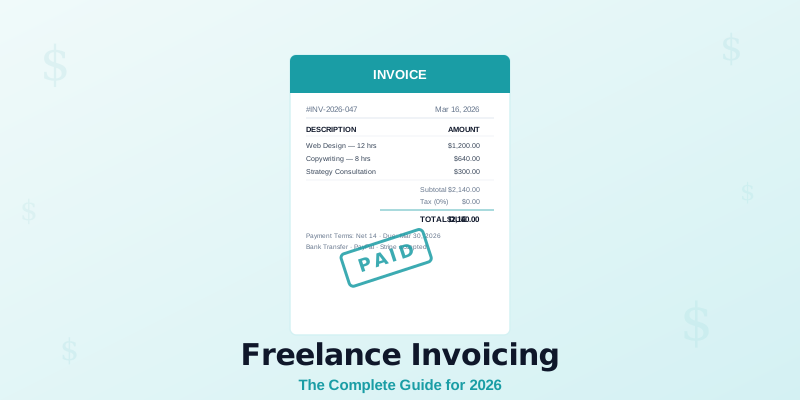
Freelance invoicing mistakes cost the average freelancer nearly $800 per year — and that's just what gets measured. According to research by FreshBooks, 40% of self-employed workers have at least one past-due invoice outstanding at any given time. Late invoices, vague line items, and missing payment terms all slow down cash flow and create unnecessary friction with clients.
Getting your freelance invoicing right from the start is one of the highest-leverage things you can do for your business in 2026. This guide covers everything: what to put on an invoice, how to build a workflow that runs on autopilot, and the mistakes that cost freelancers real money every month.
What Makes a Good Freelance Invoice
A strong invoice leaves no room for confusion. Every field serves a purpose: it tells the client what they owe, why they owe it, and exactly when to pay.
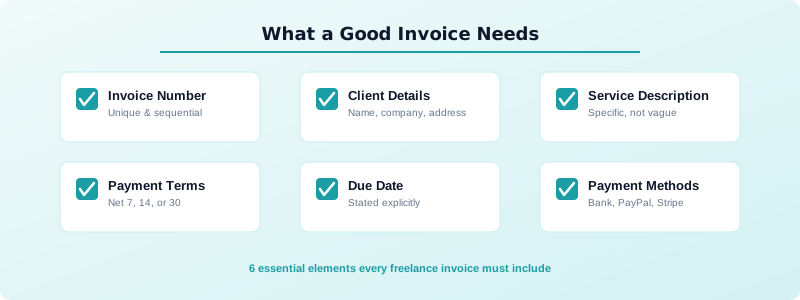
Here's what every freelance invoice needs:
- Invoice number — unique, sequential, and easy to reference
- Your name and contact info — business name, email, and address
- Client's name and contact info — bill-to details must be accurate
- Service description — clear, specific line items (not "consulting")
- Hours worked or flat project fee — with your rate clearly stated
- Subtotal, taxes, and total — itemized so nothing looks hidden
- Payment terms — Net 7, Net 14, or Net 30, written out plainly
- Due date — stated explicitly, not just implied by the terms
- Accepted payment methods — bank transfer, PayPal, Stripe, etc.
Missing even one of these creates friction. Friction slows down payment.
See our step-by-step guide to invoicing as a freelancer if you want a walkthrough of building your first invoice from scratch.
How to Set Up Your Invoicing Workflow
Your invoicing workflow should be predictable and nearly automatic. Build it once and follow it every time.
Choose a send trigger. Send the invoice the moment a project is complete, not days later. Every day you delay is a day added to how long you wait for payment. For retainer clients, pick a fixed date each month — the 1st or the last working day — and stick to it.
Decide on payment terms upfront. Agree on terms before work starts, not when the invoice arrives. If a client expects Net 30 and you send Net 7, you've created a dispute before they've even opened the email. Read more about choosing the right payment terms before you default to whatever feels standard.
Request a deposit on large projects. Asking for 25–50% upfront before you start work protects your time and keeps clients financially invested in the project. It also means you're never doing the full job on trust alone.
Create a follow-up schedule. Send a polite reminder the day after the due date. Follow up again at day 7. Escalate at day 14. A consistent follow-up process turns passive invoicing into active cash collection. Most late payments resolve at the first reminder — the key is actually sending it.
Use a template. Don't rewrite invoices from scratch. A well-structured freelance invoice template with your branding and standard terms saves time and keeps your process consistent. It also reduces the chance of leaving out a required field when you're rushing to send.
Common Freelance Invoicing Mistakes (and How to Avoid Them)
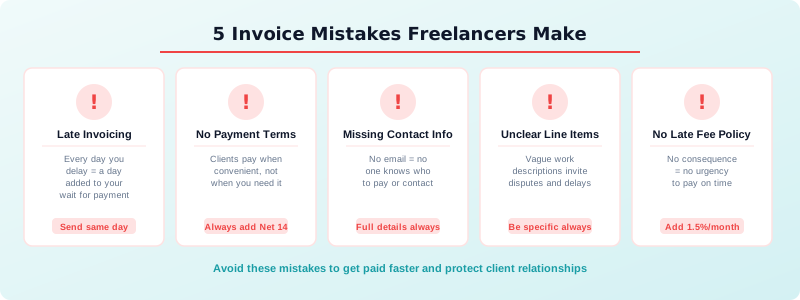
According to research by Skynova, 82% of freelancers said invoice errors damaged their relationship with the client. Here are the five most damaging mistakes and how to fix them.
1. Sending invoices late. A late invoice signals a late payment. Send it the same day the work is done — ideally within hours.
2. Skipping payment terms. If your invoice doesn't state when payment is due, clients default to whenever is convenient for them. Always include a due date, not just "Net 30."
3. Missing contact info. If your invoice gets forwarded to accounts payable and your email isn't on it, no one knows where to direct payment questions. Always include full contact details.
4. Vague line items. "Project work — $2,000" invites disputes. "Brand identity design: logo, color palette, typography guide (40 hours at $50/hr) — $2,000" does not.
5. No late fee policy. Without a late fee, there's no consequence for slow payment. Add a line to your invoice stating your policy — even 1.5% per month creates urgency.
Freelance Invoicing Tools: What You Actually Need
You don't need expensive software to invoice professionally. You need something that handles the basics reliably.
At a minimum, your invoicing tool should: create numbered invoices automatically, let you save client details, and send a PDF by email. Free tools like Wave and Zoho Invoice handle all of this without a subscription.
If you're doing volume — multiple clients, recurring retainers, international payments — a paid tool like FreshBooks ($17/month) adds time tracking, automatic reminders, and payment integrations that save more time than they cost.
One underrated feature: automatic payment reminders. Many invoicing tools can send a follow-up email on your behalf when an invoice is overdue. Setting this up once removes the awkwardness of chasing clients manually.
What you don't need: complex accounting software when you're just starting out. Keep it simple until the volume demands more. A lean setup you actually use beats a feature-rich system you avoid because it's too complicated.
Tracking Hours and Turning Them Into Invoices
Hourly freelancers lose money when they invoice from memory. You worked more than you think — but without records, you can only charge what you remember. Research consistently shows that freelancers who track time in real time bill 20–30% more than those who reconstruct hours at the end of the week.
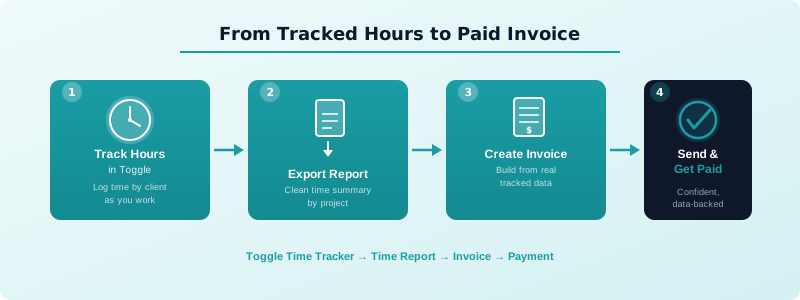
Tracking your billable hours accurately is the foundation of an honest, defensible invoice. When you track in real time, every hour is captured. When invoice day comes, you pull the report and build the invoice from actual data, not estimates.
It also protects you from disputes. If a client questions a line item, a time log with timestamps and descriptions is all the evidence you need. There's no debate when the record is right there.
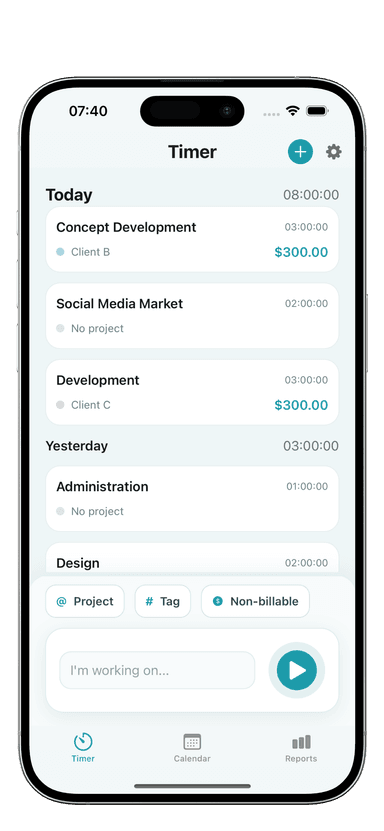
Toggle Time Tracker is built for this workflow. You log time by project or client as you work, then export a clean time report at the end of the week or month. That report becomes the source of truth for your invoice — no guesswork, no rounding, no lost hours.
Building an Invoicing System That Scales
A system that works for 3 clients should still work when you have 10. Build for scale from the start.
Standardize your templates. Create one invoice template per billing type — hourly, fixed fee, retainer. Keep them in a folder you can access fast.
Keep a client record. For each client, store their billing contact, payment terms you've agreed on, and their preferred payment method. You shouldn't have to dig for this every time.
Invoice on a schedule. Retainer clients get invoiced on the same day every month. Project clients get invoiced at project completion. Consistency trains clients to expect — and prepare for — your invoices.
Track outstanding invoices. Know at all times which invoices are paid, pending, or overdue. A simple spreadsheet works. So does any invoicing tool with a dashboard. The key is reviewing it at least once a week — not just when you think something is late.
Set a monthly invoicing review. Block 30 minutes at the end of each month to reconcile what went out, what came in, and what's still outstanding. This habit keeps you on top of cash flow before it becomes a problem.
Getting clients to pay consistently comes down to removing every possible obstacle. Read our guide on getting clients to pay on time for the follow-up scripts and escalation strategies that actually work.
Start Invoicing Like a Business
Your invoice is the last impression you leave on every project. Make it professional, accurate, and easy to act on. The difference between a freelancer who chases payments and one who receives them on schedule is almost always in the details: clear terms, real-time time tracking, and a consistent send schedule.
Treat invoicing as a skill, not an afterthought. Spend an afternoon setting up your template, agreeing on terms with current clients, and building a follow-up schedule. That investment pays back every single month in faster payments and fewer awkward conversations.
Toggle Time Tracker helps you capture every billable hour so your invoices are always backed by data. Download it on the App Store and turn your tracked time into invoices you can send with confidence.