Freelance Work-Life Balance Tips That Actually Work
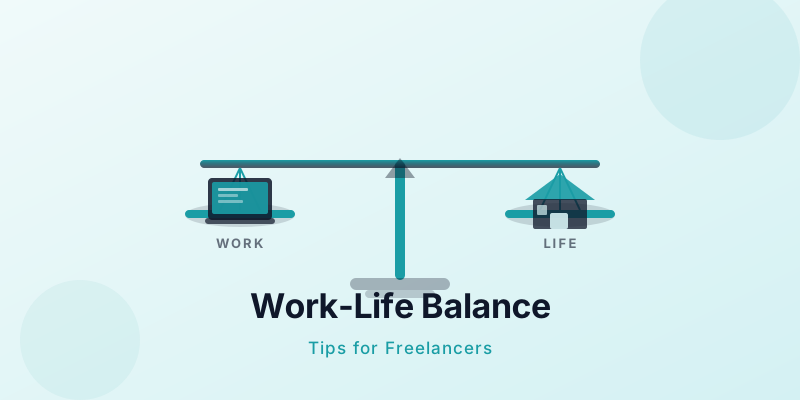
Freelancing promises freedom — but it has a way of consuming your entire life if you let it. Without a commute to bookend your day or a manager to clock you out, freelance work life balance quietly erodes until your evenings, weekends, and holidays all look the same as a Tuesday afternoon. Research backs this up: 64% of freelancers say they struggle with work-life balance, and 78% admit to working while on holiday. The good news? A few deliberate habits can fix this.
Why Freelance Work-Life Balance Is Harder Than It Looks
The structure of employment does a lot of invisible work. Office hours, a physical workplace, and social accountability all tell your brain when work ends. Freelancers lose all of that overnight.
When your laptop is three feet from your couch, "just checking one email" turns into two extra hours without you noticing. Add the financial pressure of variable income — the fear that turning off means losing a client — and it becomes genuinely hard to stop.
The average full-time freelancer works 43 hours per week, roughly the same as a traditional employee. But without a commute, office politics, or a fixed location, those hours blur seamlessly into personal time. Days off feel like lost income, and evenings feel like a backlog waiting to happen.
This is why work-life balance for freelancers is not about willpower. It is about building systems that make stopping the default, not the exception.
Set a Hard Stop Time (and Actually Mean It)
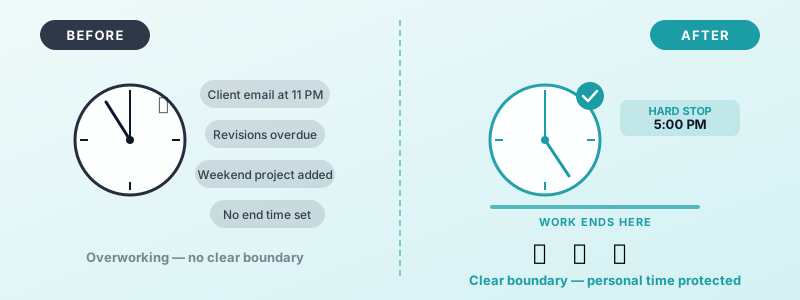
Pick an end time and treat it like a client deadline. Whether that is 5 PM or 7 PM, write it down and put it in your calendar as a recurring block. The act of deciding in advance removes the moment-by-moment negotiation with yourself at the end of every day.
The trick is removing the decision. When the time arrives, you do not ask yourself whether you are done — you are done. Close the laptop, put it in a bag, or move it to another room. Physical distance from your tools breaks the habit loop that keeps you working.
Tell your regular clients about your availability window. When expectations are set upfront, there is no guilt about not responding to a 9 PM message. Protecting your stop time is not unprofessional — it is how you show up better the next morning.
If you find yourself regularly blowing past your stop time, that is a signal your workload needs trimming, not that your stop time needs pushing. Our guide on how to stop working overtime as a freelancer covers the root causes and practical fixes. For a deeper dive on recognising patterns before they escalate, read our guide on avoiding freelance burnout.
Create Physical and Mental Separation
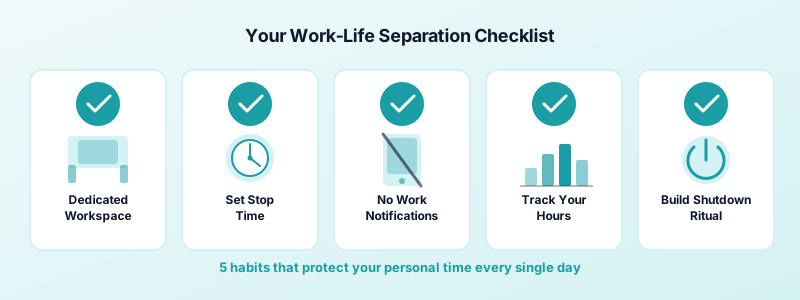
Physical boundaries matter even when you work from home. A dedicated desk — separate from where you eat, relax, or sleep — gives your brain a location cue for work mode. When you leave that space, work is over. It does not have to be a separate room; even a specific corner and a consistent chair can do this job.
If you work from a laptop at the kitchen table, your kitchen table becomes an office. That means you are never truly away from work, even when you are eating dinner or having coffee on a weekend. The blurring is gradual but cumulative.
Mental separation is harder but just as important. Build a short shutdown ritual: close all tabs, write tomorrow's top three tasks, and do something that signals the transition — a walk, a coffee, a five-minute stretch. This tells your nervous system the day is done.
Building a sustainable freelance daily routine that includes a defined start and end ritual is one of the highest-leverage changes you can make.
Learn to Say No to Work That Bleeds Into Your Personal Time
Clients who message at 10 PM, projects that require weekend availability, scope creep that turns a two-hour job into a two-day one — these are all boundary violations that you can prevent. Most of the time, they happen because no clear boundary was communicated in the first place.
Set your availability in writing. Put your working hours in your email footer or your client onboarding document. When a request arrives outside those hours, respond the next morning without apology. A same-night reply at midnight trains clients to expect same-night replies every time.
It also pays to audit your current workload regularly. If you are consistently working evenings and weekends, the problem is not your clients — it is that you have accepted more than your working hours can hold. Dropping a client or raising your rates to work with fewer people at a higher level is sometimes the most practical path back to balance.
Saying no is not about being difficult. It protects your best work for the hours you are actually paid for. Freelance boundaries at work also signal professionalism — clients who respect your time tend to be the ones worth keeping.
Track Your Hours to Protect Your Balance
You cannot manage what you do not measure. Many freelancers who feel overworked have no clear picture of how many hours they actually worked that week — which makes it impossible to know when to stop taking on more.
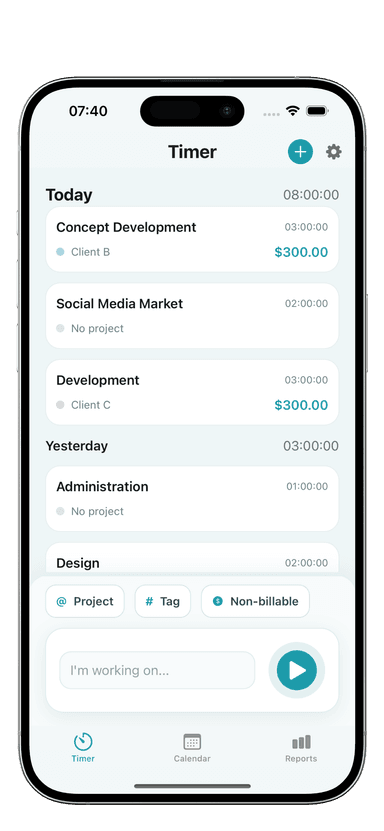
Logging your time daily with Toggle Time Tracker takes under a minute and gives you a weekly total you can hold yourself accountable to. When you see you have already hit 40 hours by Thursday, you have hard data to justify pushing a task to next week instead of staying late.
Time tracking also reveals where your hours are actually going. Non-billable admin, endless email, and unpaid revision rounds are often the real culprits behind feeling like you never stop working. Using time blocking to protect personal time alongside regular hour tracking is a combination that works.
You Built This to Have More Freedom — Protect It
Freelance work life balance is not a nice-to-have. It is the reason most people go freelance in the first place. A hard stop time, a physical workspace, firm boundaries with clients, and a habit of tracking your hours are not complicated — but they require you to decide they matter.
Start with one change this week. Pick your stop time, write it down, and hold it for five days. Then add the next habit.
If you want a simple tool to keep your hours honest, Toggle Time Tracker is free to download on the App Store — and it takes about 30 seconds to learn.