Freelance Change Order Process: How to Charge for Scope Changes
Scope creep is one of the most financially damaging patterns in freelancing, and it almost always starts with the same innocent phrase: "Can we just add one more thing?" Without a formal change order process, those small additions accumulate into hours of unpaid work over the course of a project.
A change order process doesn't need to be complicated. It needs to be consistent. Here's how to build one that clients accept and that actually gets enforced.
What Is a Change Order?
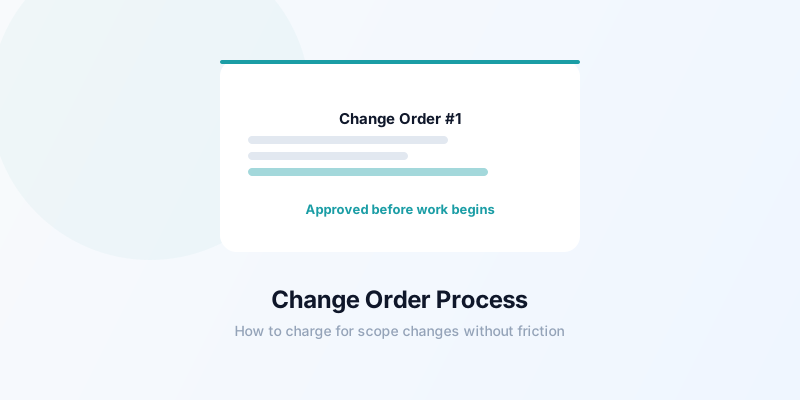
A change order is a written agreement that modifies the original scope of work. It documents what's changing, what it costs, and gives both parties a chance to approve before additional work begins.
Change orders apply to:
- Additional deliverables beyond what was originally agreed
- Significant modifications to deliverables already defined (not routine revisions)
- Timeline extensions caused by new requests
- Work required because of client-caused delays or direction changes
Change orders do not apply to:
- Minor revisions within the agreed revision rounds
- Bug fixes within the warranty period
- Small adjustments clearly implied by the original scope
The dividing line between a revision and a change order isn't always obvious — but when in doubt, document it. An unnecessary change order is far less costly than an undocumented scope change.
The 4-Step Change Order Process
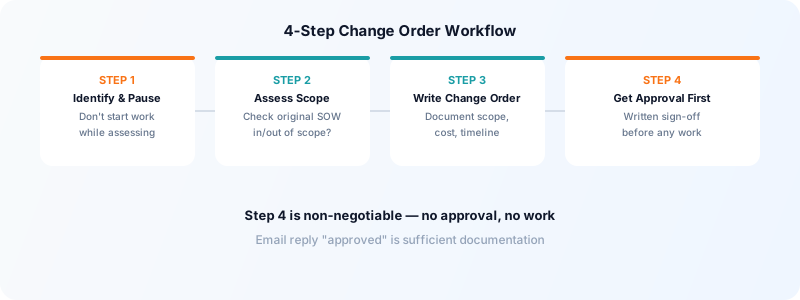
Step 1: Identify and Pause
When a client requests work that seems outside the original scope, stop immediately. Do not start the work while assessing whether it's in or out of scope. Do not say "sure" before thinking it through.
Your response: "That sounds doable — let me review the scope and get back to you with a plan by [time/day]."
This buys you time to assess the request properly and signals that scope additions have a process.
Step 2: Assess Scope
Review your original scope of work document. Is the request:
- In scope? Do it as planned, no change order needed.
- A reasonable revision? Handle it within the revision policy.
- Genuinely new work? Issue a change order.
If you don't have a written scope of work for the project, this is the moment you realize why having one matters. For all future projects, build a scope document upfront — see the freelance scope of work template for what to include.
Step 3: Write the Change Order
A change order document should include:
- Project name and original agreement date
- Description of change: What's being added or modified
- Reason for change: Client request, discovery, direction change
- Estimated hours or cost for the additional work
- Impact on timeline: Does this push the delivery date?
- New total or additional amount due
- Approval signature (or digital confirmation)
Example:
Change Order #1 — [Project Name] Date: [date]
Change requested: Add a fourth landing page variant (mobile-specific design) beyond the three variants in the original scope.
Cost of change: 4 hours × $[rate]/hour = $[amount]
Timeline impact: Delivery extended by 3 business days.
New project total: $[original] + $[additional] = $[new total]
Client approval: _________________ Date: _________
Keep the document short and plain. The goal is clarity and a paper trail, not legal complexity.
Step 4: Get Approval Before Starting
This is the most important step and the one most commonly skipped. Do not begin the additional work until the client has approved the change order in writing.
"In writing" can be as simple as a reply email: "Approved — please proceed." That reply, dated and sent, is sufficient documentation for most freelance relationships.
If a client pushes back on signing before you start ("just go ahead, we'll sort it later"), hold the line. Starting without approval is what converts informal agreements into unpaid work.
How to Price Change Orders
The simplest pricing approach: bill at your hourly rate with a clear estimate.
Some freelancers maintain a "change order rate" that's 15–20% higher than their standard hourly rate. The rationale: out-of-scope work disrupts planned schedules, introduces coordination overhead, and often requires reconfiguring work already done. The premium reflects this real cost.
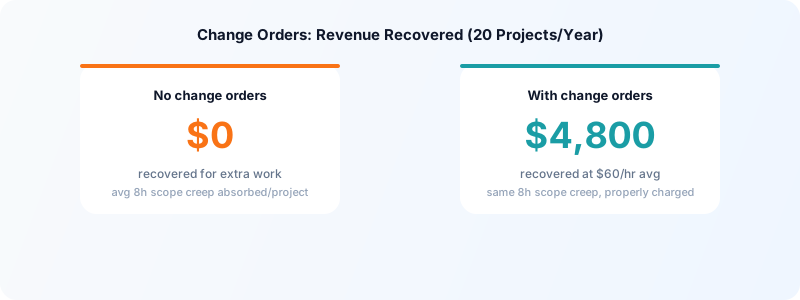
For fixed-price projects, be especially vigilant about scope additions. Every unpriced change on a fixed-price project effectively reduces your effective hourly rate. If you're charging $3,000 for a project and the client adds $600 worth of work through five informal "small" requests, you've just taken a 20% pay cut.
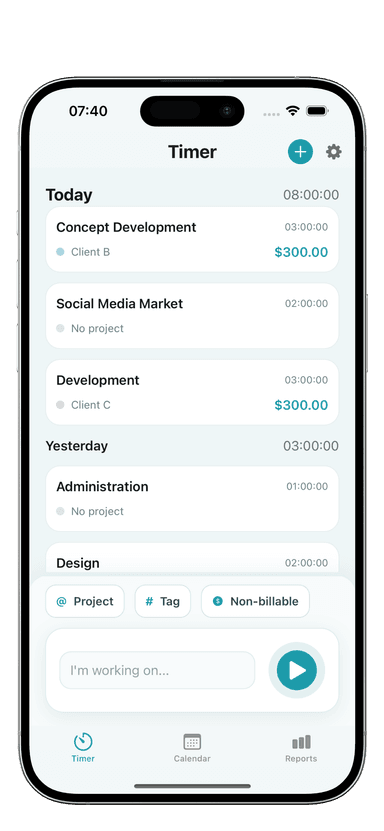
Track all change order hours in Toggle Time Tracker separately from the main project. Tag them clearly (e.g., "CO-1 - landing page variant"). This shows the real cost of each change and informs your change order pricing for similar work in the future.
Handling Client Resistance
Some clients will push back on the change order process. Common objections and how to handle them:
"This is a small change, it should just be included."
"I understand it seems small — the additional work is about [X hours], which is outside what we scoped. I'm happy to handle it as a quick change order so we can move forward."
"We didn't budget for this."
"Totally understandable. Two options: we can deprioritize it and add it to a future project, or we can replace one of the original deliverables with this instead. What works better for you?"
"Other freelancers don't charge for this kind of thing."
"Everyone structures their pricing differently. I keep my project rates competitive by keeping scope changes separate — that way what we agreed stays what you pay for the original work."
When Change Orders Aren't Worth It
For very small requests — a 30-minute task from a strong long-term client — a formal change order may create more friction than it prevents. In those cases, a documented email summary ("I'll add X to the scope; this will add $Y or approximately Z hours") creates a written record without the full paperwork.
Use judgment based on the size of the work, the stability of the relationship, and the history of that client's scope management. For clients who have shown a pattern of scope expansion, always use a formal change order — the first informal agreement sets a precedent.
For managing the full project lifecycle with clients, see freelance client communication templates and how to handle freelance revision requests.
Download Toggle Time Tracker to log change order hours separately — knowing what scope changes actually cost makes every future estimate more accurate.