How to Negotiate Freelance Payment Terms with Clients
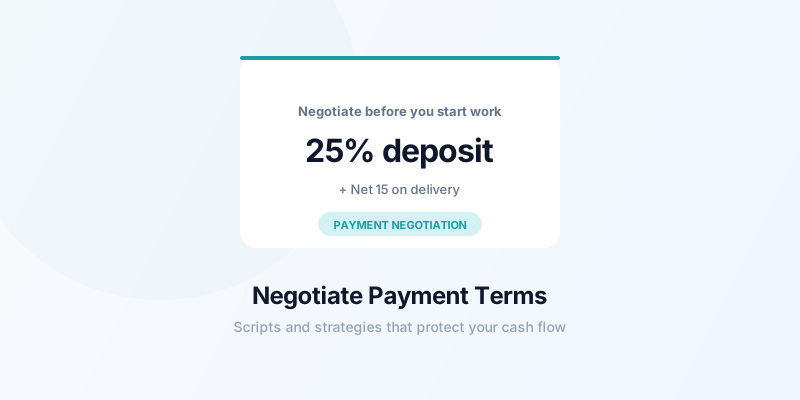
Most freelancers accept whatever payment terms a client offers because they don't know they can negotiate — or they're afraid to push back and lose the project. But freelance payment terms are part of the project agreement, and negotiating them is professional and expected. Here's how to negotiate freelance payment terms in a way that works.
Why Negotiating Payment Terms Is Normal
Large companies negotiate payment terms with all their vendors. Law firms, agencies, and consultants routinely push back on Net 60 or request deposits. The difference with freelancers is that many feel like asking for better terms is asking for a favor.
It isn't. You're running a business. Cash flow is a real operational concern. Your payment terms are a business decision, not a personal request.
The key is framing: you're not asking for special treatment, you're communicating your standard business terms. Most clients — especially professional ones — respond well to this approach.
The Best Time to Discuss Terms
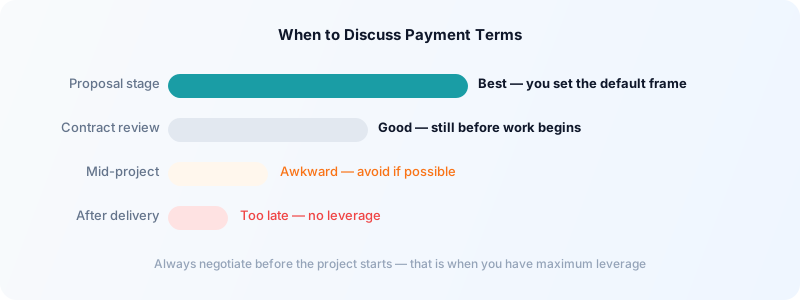
Before you start work. Payment terms should be agreed on before the project kicks off — ideally in the proposal or SOW (statement of work). Once work is underway, you lose most of your leverage.
During the proposal stage. When you send a proposal, include your payment terms explicitly. Don't wait for the client to propose terms — establish yours first. This sets the default and forces any negotiation to happen from your starting point, not theirs.
If a client comes to you with a contract that includes Net 60 or unfavorable terms, that's still early enough to negotiate. You haven't started work. You have leverage.
The worst time is mid-project, after you've already delivered work. Never negotiate payment terms retroactively — it creates conflict and looks unprofessional.
Scripts for Common Payment Term Negotiations
If a client proposes Net 60 and you want Net 30:
"My standard terms are Net 30. I see your default is Net 60 — is there flexibility to use Net 30 for this engagement? I find it keeps the billing relationship simpler for both sides."
This is matter-of-fact and gives them a reason that benefits them too.
If you want a deposit on a new client:
"For new client relationships, I typically require a 25-50% deposit before beginning work, with the balance due on project completion. This is my standard practice for all new engagements. Does that work for you?"
Don't apologize for it. It's standard practice — and it is.
If a client says their AP only does Net 45 or Net 60:
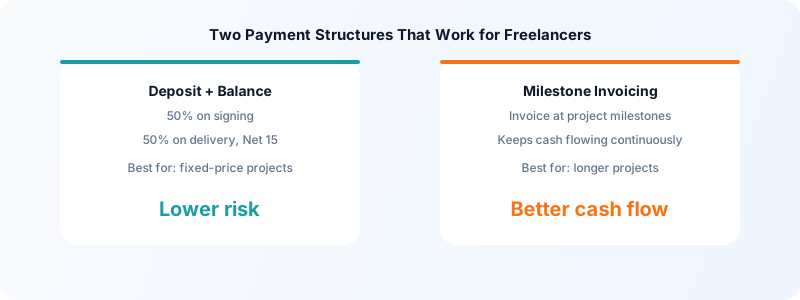
"I understand you have fixed AP cycles. For larger projects with extended payment terms, I do add a small premium to offset the cash flow impact — typically 5-8%. Alternatively, I can do milestone invoicing so that the first 50% of the project is billed and paid before the second half begins. Which would you prefer?"
You're giving them a choice between two options, both of which work for you.
If a client balks at a deposit:
"I appreciate the relationship and want to make this easy. The deposit protects both of us — it reserves my time for your project and commits us both to the engagement. I can reduce it to 25% if that's easier on your end."
What to Do When a Client Refuses to Negotiate
Some clients won't move on terms. Large enterprise clients may have fixed procurement policies that genuinely can't be changed. In those cases, your choices are:
-
Accept the terms and price them in. If Net 60 is their hard requirement, add 8-10% to your rate to account for the delayed cash and the additional risk. Present it as your "extended terms rate."
-
Propose milestone invoicing instead. Even with Net 60 terms, you can invoice 50% at the project start and 50% on completion. That first invoice being paid 60 days later doesn't leave you in the cold — you've already been paid half.
-
Decline the project. If the terms are genuinely unsustainable for you, it's better to decline than to resent the work while doing it. That resentment shows up in quality and communication.
Build Standard Terms Into Your Proposal Template
The most effective way to ensure good payment terms is to include your standard terms in every proposal before the client has a chance to suggest otherwise. When your proposal arrives with "Payment: 30% deposit on project start, 70% on delivery. Net 15." already written in, you've set the frame.
Clients who agree to your proposal have agreed to your terms. You're not asking for them later — they were part of the agreement from the start.
For templates on what to include in your invoices, see how to create a freelance invoice from scratch.
Track Everything Related to Payment
When you negotiate specific terms, document them in writing. A confirmation email is enough: "Just confirming our agreement: 25% deposit on signing, 75% on delivery with Net 15 terms." This prevents the "I thought it was Net 30" conversations.
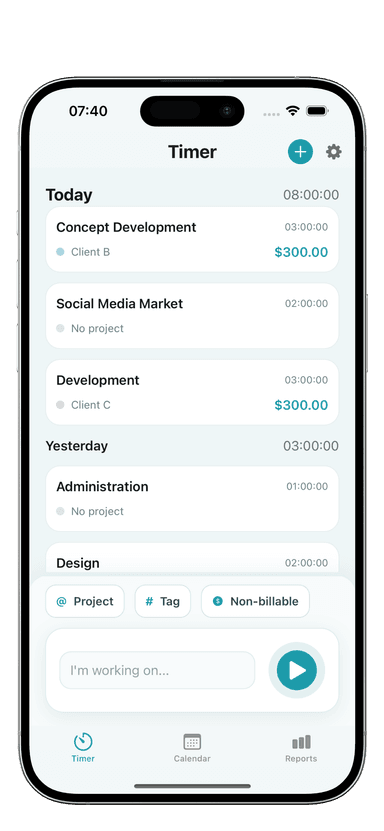
And track your time meticulously throughout the project in Toggle Time Tracker. When the invoice arrives backed by a clear time log, clients process it faster and disputes are rare — regardless of what terms you negotiated.
For more on the complete payment relationship, see how to get freelance clients to pay on time.
The Bottom Line
Negotiating payment terms is a professional skill, not an awkward conversation to avoid. Every client negotiation is different, but the principles are consistent: establish your terms early, frame them as standard practice, offer alternatives rather than ultimatums, and always document what's agreed.
The freelancers who get paid reliably and quickly are usually the ones who set their terms clearly from the start — not the ones who accept whatever they're given and hope for the best.
Download Toggle Time Tracker and build the detailed time records that make every invoice defensible — the strongest foundation for any payment terms conversation.