Freelance Scope Creep: How to Handle It Professionally
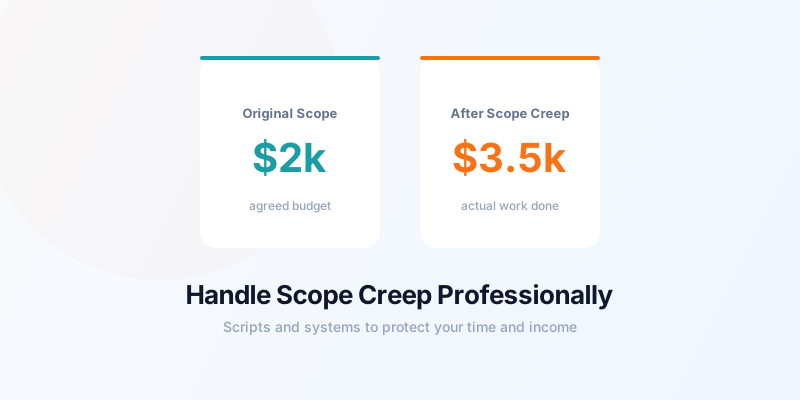
Freelance scope creep is the slow expansion of project work beyond what was originally agreed — and it costs freelancers thousands of dollars per year in unpaid hours. A logo project becomes a full brand identity. A "quick edit" on a website turns into a redesign. A fixed-price project adds feature after feature until the original budget is laughably inadequate.
The good news: scope creep is almost always preventable, and manageable when it does happen.
Why Scope Creep Happens
Scope creep rarely comes from bad-faith clients trying to get free work. It usually comes from three sources:
- Vague original scope — the project wasn't defined precisely enough at the start
- Good-faith additions — the client genuinely thinks small additions are within the original agreement
- Sunk cost pressure — you don't want to raise the issue because you don't want to damage a good relationship
Understanding the source helps you choose the right response. An evolving request from a good client you want to retain deserves a different tone than a pattern of boundary-testing from a new client.
For a complete guide to building the right foundation, see how to prevent scope creep as a freelancer.
Prevention: Define Scope in Writing Before You Start
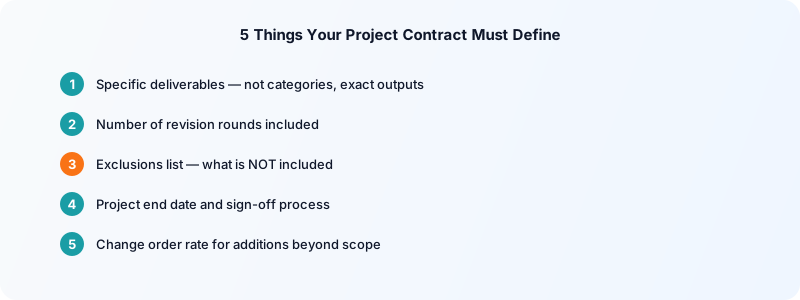
The single most effective tool against scope creep is a well-written project scope in your contract. Before any project begins, document:
- Specific deliverables (exactly what you will produce — not "a website" but "a 5-page website with contact form, mobile responsive, built on WordPress")
- Number of revisions included ("up to 2 rounds of revisions")
- What's excluded ("no SEO optimization, no ongoing maintenance, no copywriting")
- Timeline and when the project officially ends
- What happens if scope changes ("additional work billed at $X/hour or by change order")
The exclusions section is critical. Listing what the project does NOT include removes ambiguity about whether something was implied.
How to Track Scope Changes
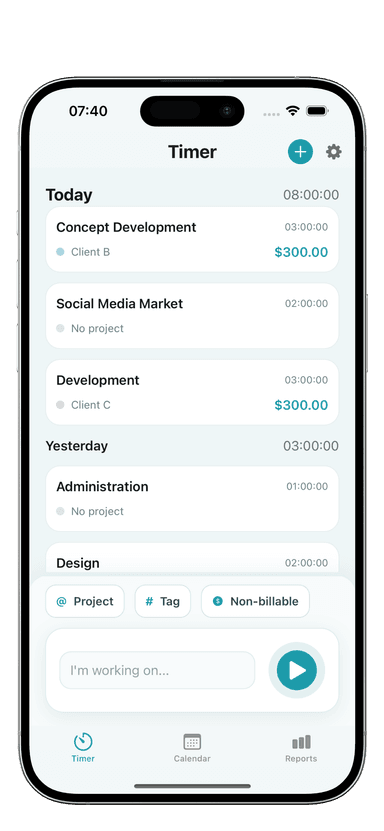
Time tracking is your most powerful evidence when scope creep disputes arise. When you start a new project, create a project tag in Toggle Time Tracker. Log every hour you work on it.
If a client adds work mid-project, create a new entry or tag the additional request separately. At billing time, your time log shows exactly how many hours went to the original scope versus additions. That data removes any ambiguity from the conversation: "I've tracked 18 hours on the original scope and 6 additional hours on the new features you added" is far more compelling than "it feels like there was more work."
For projects with a fixed price, tracking time is especially important — it reveals whether you've actually hit or exceeded what the project justified at your hourly rate. See how to track time for fixed-price projects for a complete approach.
How to Respond to Scope Creep Without Damaging the Relationship
When you notice scope creep happening, address it early — before the extra work accumulates. The longer you wait, the harder the conversation becomes.
For small, in-scope-adjacent additions:
If the addition is small and relationship-preserving matters, you can absorb it once — but document it:
"Happy to add that in. I'll note this as an exception to our original scope — any similar additions going forward will be covered under a change order at $X/hour."
This is gracious and clear. You're not charging them this time, but you're establishing the boundary for next time.
For clear out-of-scope work:
"That sounds like a great addition to the project. It's outside our original scope, so I'd handle it as a change order. The work would be approximately X hours at $Y/hour — want me to send a brief proposal?"
Frame it as a natural next step, not a refusal. You're offering a path forward, not slamming a door.
When the client pushes back:
"I understand — I want to make sure we're set up well for this. The original proposal covered [specific deliverables]. What you're describing would be additional work beyond that. I can either add it to the invoice at my hourly rate, or we can scope it as a separate project. Which would you prefer?"
Stay matter-of-fact. You're not accusing them of anything — you're clarifying what was agreed.
Use Change Orders for Every Addition
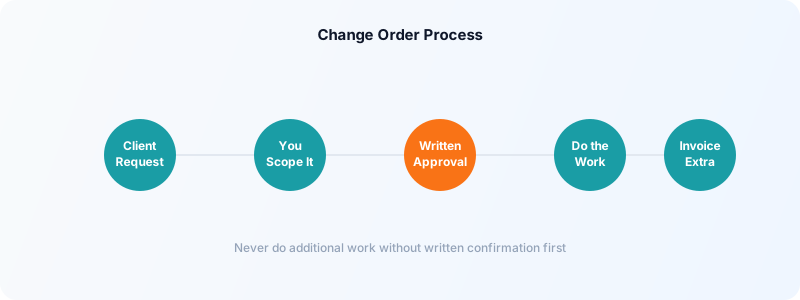
A change order is a short written document (even an email confirmation works) that specifies:
- The additional work being added
- The cost (fixed or hourly estimate)
- How it affects the timeline
Even a two-sentence email confirmation creates a paper trail: "As discussed, the additional landing page design will be billed at $400. Please reply to confirm and I'll begin."
Getting written confirmation before doing additional work protects you. It also makes clients more deliberate about what they add — when there's a cost attached to additions, the "quick tweaks" often disappear.
Know When to Hold the Line
Some clients are chronic scope creepers — they consistently push for more without paying for it. After one or two documented instances, you've established the pattern.
If a client regularly ignores scope boundaries despite your clear communication, factor that into your pricing for future work (add a 15-20% scope-creep buffer to your estimates) or choose not to continue working with them.
Scope creep that goes unaddressed doesn't just cost money — it breeds resentment. A project you agreed to at $2,000 that ends up being $3,500 of work leaves you feeling undervalued, no matter how good the client relationship is.
Setting clear scope from the start, tracking your time meticulously, and addressing additions promptly keeps your projects profitable and your client relationships healthy.
Download Toggle Time Tracker and log every hour by project — your time data is the foundation of every scope-creep conversation you'll ever need to have.