Freelance Peak Productivity Hours: When to Do Your Best Work
Timing matters more than hours logged. If you do your hardest, most valuable work when your energy and focus are at their lowest, you'll spend twice as long and produce half the output. Identifying your freelance peak productivity hours — and scheduling around them — is one of the simplest ways to produce better work in less time.
Here's how to find your peak hours and protect them.
Why Peak Hours Exist (And Why They're Different for Everyone)
Your alertness, focus, and cognitive performance follow a predictable daily curve tied to your circadian rhythm. Research by chronobiologist Till Roenneberg shows that about 25% of people are "early types" (peak in the morning), 25% are "late types" (peak in the evening), and the rest fall somewhere in between.
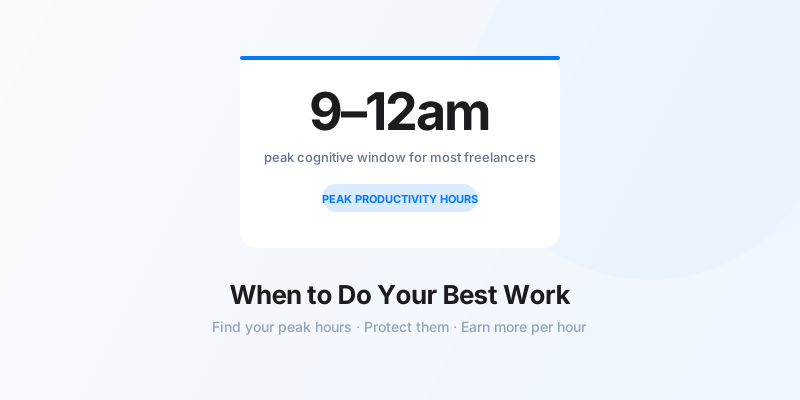
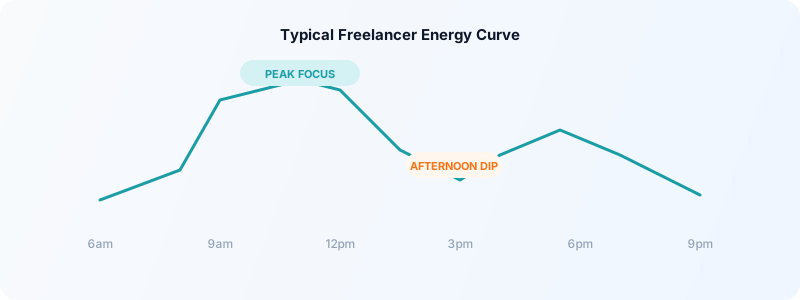
Most people experience their peak cognitive performance in the mid-morning to early afternoon — roughly 9am-12pm — followed by a dip around 2-3pm, then a secondary peak in the late afternoon. But your actual pattern depends on your chronotype.
The critical point: forcing deep creative work into a low-energy window doesn't work. You can override it with caffeine briefly, but the quality suffers. Working with your natural rhythm produces better output with less effort.
How to Identify Your Personal Peak Hours
You can find your peak hours through observation, not guesswork.
Method 1: Time and energy tracking
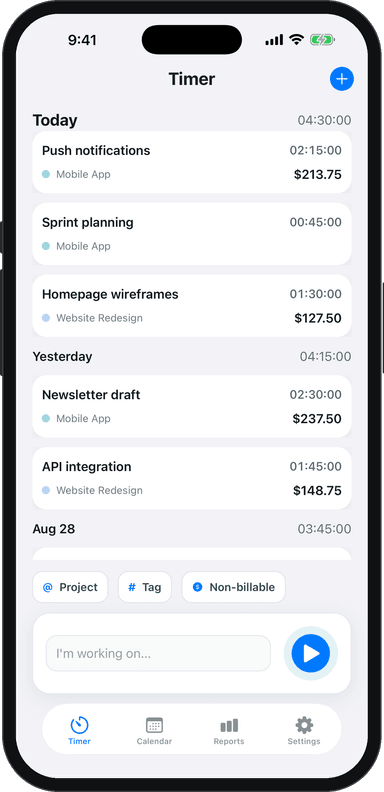
For two weeks, track both your time and your subjective energy level. Use Toggle Time Tracker to log your work blocks, and add a note rating your focus from 1-5 at the end of each session.
After two weeks, look at the patterns. Which hours consistently produced your 4- and 5-rated sessions? Those are your peak hours. Which consistently produced 1s and 2s? Those are your low-energy windows.
Method 2: The chronotype test
Answer these three questions:
- On a free day with no alarm, what time do you naturally wake up?
- What time do you feel genuinely alert — not caffeinated, but clear and focused?
- At what point in the afternoon do you feel a noticeable energy dip?
Your natural alert time (question 2) typically marks the start of your peak window. Your dip time marks the end of the first peak block.
Schedule Your Work by Energy Level
Once you know your peak hours, match task types to energy levels:
Peak hours (highest cognitive energy):
- Writing, designing, coding, strategy
- Client proposals and complex problem-solving
- Any work that requires your full creative capacity
- Learning new skills or tools
Mid-energy hours:
- Client calls and meetings (require communication, not deep creation)
- Reviewing and editing your own work
- Research and planning
Low-energy hours (your dip window):
- Email and admin
- Invoicing and bookkeeping
- Scheduling and calendar management
- Routine tasks you could do half-asleep
This approach is sometimes called energy mapping. For a full system that builds this into your week, see energy mapping for freelancers.
Protect Your Peak Hours Like Client Time
Most freelancers protect time they've sold to clients. They're far less protective of their own time — which is where the highest-value work happens.
Treat your peak productivity block as a non-negotiable appointment. Don't schedule client calls during it. Don't check email during it. Don't run errands during it.
This requires some boundary-setting. When clients ask for morning meetings, offer afternoon slots instead. Most clients won't notice or care — they just want a time that works. You don't need to explain that you protect your mornings for deep work; you just need to offer good alternatives.
If you're just starting to track how you spend your time, a freelance daily routine schedule gives you a framework to start from.
Use Time Tracking Data to Validate Your Schedule
Your perception of when you're most productive doesn't always match reality. Most people believe they're more consistent than they are — and memory is unreliable for identifying patterns.
Time tracking removes the guesswork. When you log time by project and note focus quality, you build a personal productivity dataset. After 30 days, you can see:
- Which hours reliably produced your best output
- Whether your energy pattern is consistent across weekdays or varies by day
- Whether your perceived peak hours match your actual output hours
Toggle Time Tracker lets you build this data effortlessly. One-tap timers, project tagging, and a calendar view show you exactly how your week broke down — so you can optimize next week based on evidence, not guesses.
Batch Meetings to Protect Focus Days
Even if you protect your peak hours daily, context switching between client calls and deep work fragments your focus across the whole day. The solution: batch your meetings.
Pick 2 days per week as "communication days" — when you schedule client calls, check-ins, and administrative tasks. The other 3 days are protected focus days with minimal interruptions.
Many freelancers report this is the single biggest schedule change they've made. A day with no meetings lets you enter deep focus and stay there. A day with 3 calls spread across the morning is fragmented, regardless of when those calls are scheduled.
Pair this with a freelance weekly planning template to map out your communication and focus days each Sunday before the week begins.
The Compound Effect of Working at Your Best
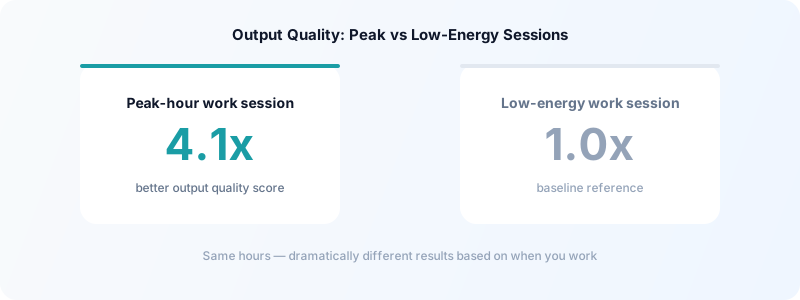
Working during your peak hours isn't about grinding harder — it's about producing better results per hour invested. A freelancer doing 4 hours of deep work at their peak is typically more productive than 8 hours of distracted, low-energy work spread across the day.
Over time, this compounds. You deliver higher-quality work, take on better projects, and avoid the burnout that comes from constantly pushing against your natural energy curve.
Download Toggle Time Tracker and start tracking your energy alongside your hours — your personal productivity data will show you exactly when to do your best work.