Freelance Invoice Numbering System: Best Practices
A consistent freelance invoice numbering system is one of those small administrative decisions that pays dividends for years. Done right, it keeps your records organized, looks professional to clients, and makes tax time significantly easier. Done poorly — or not at all — it creates confusion, missed payments, and headaches during audits.
Here's what you need to know to set up a numbering system that actually works.
Why Invoice Numbers Matter
Invoice numbers serve several practical purposes beyond looking professional:
For you:
- Track which invoices are paid, pending, or overdue at a glance
- Match payments to specific invoices quickly
- Reference a specific invoice in client conversations without confusion
- Simplify bookkeeping and tax preparation
For clients:
- Large companies require invoice numbers to process payments through their AP systems
- Without a number, your invoice may sit in a "pending" pile or get rejected
For the IRS:
- Sequential numbering creates an auditable paper trail
- Gaps in numbering can raise questions — consistent sequences show professional bookkeeping
For a deeper look at the full invoicing process, see how to invoice as a freelancer.
The 3 Most Common Numbering Formats
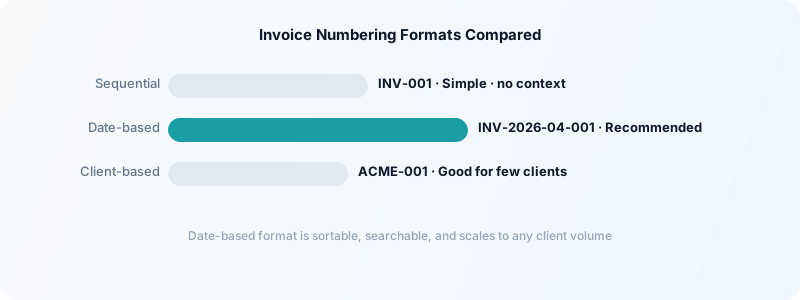
Format 1: Simple sequential
INV-001, INV-002, INV-003
Clean and straightforward. Works well when you have a small client base and don't need to filter invoices by client or date. The main downside: no information is encoded in the number itself.
Format 2: Date-based
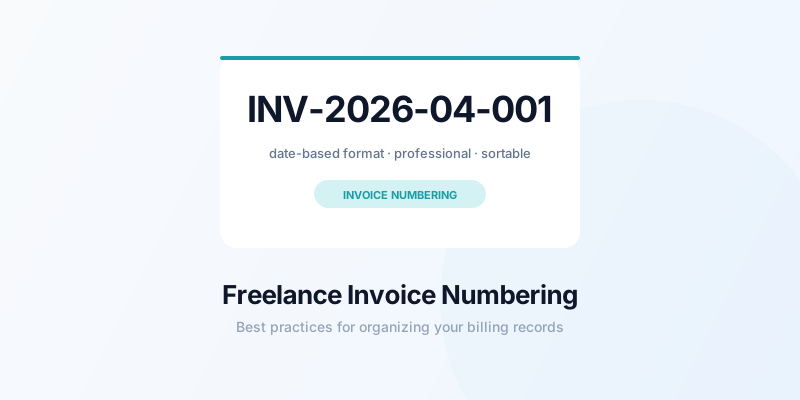
INV-2026-04-001, INV-2026-04-002
Year and month prefix + sequential number. You can instantly tell when an invoice was issued from the number alone. This format is popular because it makes invoice files easy to sort and search.
Format 3: Client-based
ACME-001, ACME-002, SMITH-001
A prefix derived from the client name + sequential number. Useful if you work with a small number of long-term clients and want to track each client's invoice history separately.
The best format for most freelancers: Date-based (INV-YYYY-MM-NNN). It scales to any number of clients, is immediately sortable, and encodes useful context without complexity.
How to Start Your Sequence
If you're starting fresh, begin at INV-001 or INV-2026-01-001. Don't start at 001 if you've already issued invoices — pick a number that continues your existing sequence.
One common question: should you start at 001 or 1000? Many freelancers start at 1000 to avoid low numbers looking "new." There's no right answer here — it's a cosmetic choice. What matters is consistency from that point forward.
What not to do:
- Don't restart your sequence at
001each year — it creates confusion if a client references an old invoice - Don't use the same number twice — even if you delete or void a draft
- Don't skip numbers intentionally — gaps look like missing invoices
If you need to void an invoice, keep the number in your records and mark it void. Never reuse it.
Tracking Your Invoices Alongside Your Time
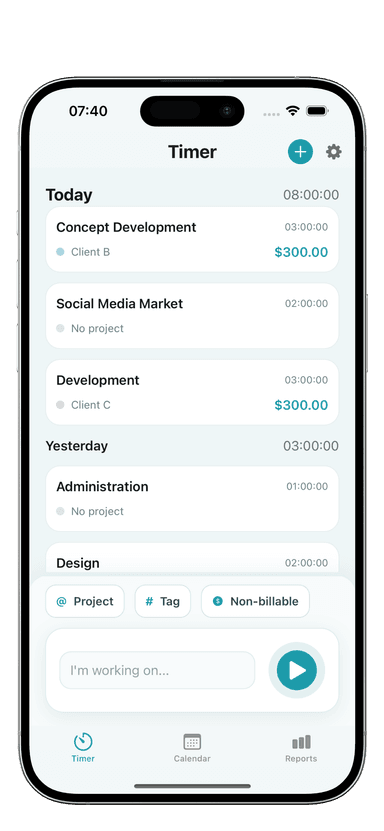
The most accurate invoices come from well-tracked time. If you track every billable hour in Toggle Time Tracker by project and client, you can export a time log and attach it to the corresponding invoice — giving clients complete transparency.
This pairing — a time tracker feeding directly into your invoicing records — eliminates disputes and makes billing faster. You're not estimating from memory; you're reporting from data. This also makes it easy to organize your freelance invoices for taxes since your time records and invoice records align.
Keep an Invoice Register
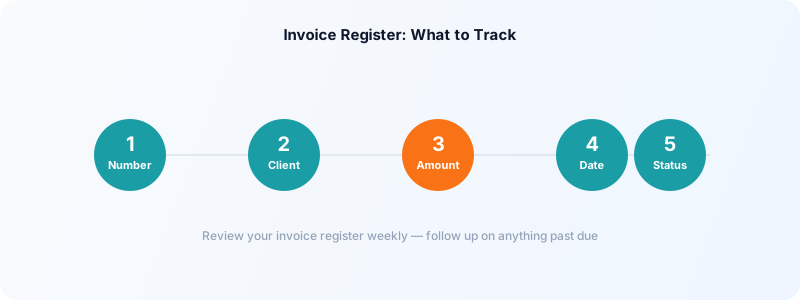
Beyond the numbers themselves, maintain a simple invoice register — a running list of every invoice you've issued with its number, client, amount, date, and status (paid/unpaid).
A spreadsheet works fine:
| Invoice # | Client | Amount | Date | Status | |-----------|--------|--------|------|--------| | INV-2026-04-001 | Acme Corp | $1,800 | Apr 1 | Paid | | INV-2026-04-002 | J. Smith | $600 | Apr 5 | Pending |
Review this register weekly as part of your accounts receivable process. Any invoice more than 7 days past its due date should trigger a follow-up. For a complete approach to getting paid on time, see how to get clients to pay on time as a freelancer.
Automate Where Possible
If you use invoicing software (FreshBooks, Wave, QuickBooks, HoneyBook), invoice numbers are typically auto-generated. Make sure the auto-numbering format matches your preference and review that it doesn't restart each year unless you want that.
For freelancers using invoice templates (Google Docs, Word), you'll need to manually update numbers. Set a rule: before sending any invoice, update the number from your register. Never send an invoice before checking the last number you issued.
The Simple Standard
A solid freelance invoice numbering system doesn't need to be complex. Pick a format, start a number, and stay consistent. The payoff is a paper trail that makes you look professional, keeps your finances organized, and gives you instant reference points whenever a client or accountant asks about a specific payment.
Download Toggle Time Tracker and start connecting your tracked hours directly to your invoicing records — so every invoice you number is backed by accurate, documented billable time.