How to Set Work Hours as a Freelancer
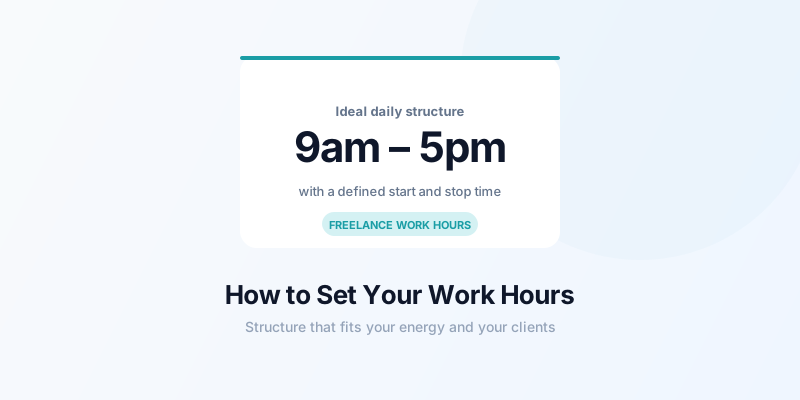
One of the best parts of freelancing is that you choose your own hours. One of the most underestimated challenges is actually using that freedom well. Without a structure, it's easy to slip into two failure modes: working too much (because the laptop is always right there) or working too little (because nothing forces you to start). Learning how to set work hours as a freelancer properly solves both problems.
Why Your Work Hours Need to Be Intentional
When you're employed, your hours are decided by someone else. When you freelance, no one decides for you — and the absence of a decision is itself a decision, usually a bad one.
Undefined work hours create predictable problems:
- You're always "available," so clients expect immediate responses at any time
- You work reactively — when client messages arrive, not when you've planned
- You can't genuinely switch off because work is always a possibility
- You can't build a routine, which makes discipline harder over time
A defined work schedule — even a flexible one — creates the structure that makes freelancing sustainable over the long term.
Start with Your Client Constraints
Before you set your ideal hours, map your actual constraints. Ask yourself:
- What time zones are my clients in? If you serve US clients and live in Europe, there's likely a 2-4 hour overlap window you need to preserve for calls.
- Do any clients need same-day responses? If so, you need to be available during their working hours at least briefly.
- Are there recurring calls or check-ins? Mark those as fixed commitments and build around them.
Most freelancers find they have a 2-3 hour window that needs to overlap with client time. The rest of your schedule can be freely chosen.
For more on managing client communication specifically, see freelance client communication tips.
Match Your Hours to Your Energy
Once you know your constraints, design your schedule around your energy — not convention. Many freelancers default to 9-5 because that's what they grew up with. But if your brain doesn't fully activate until 10am, starting at 9am means an hour of low-quality output.
The key question: when do you naturally do your best thinking? That's when your most demanding, highest-value work should go. For most freelancers, this is a 2-4 hour window somewhere between 8am and 2pm — but it varies significantly.
For a data-driven approach, track your energy alongside your time for two weeks. You'll quickly see patterns that tell you when to schedule deep work versus admin. See freelance peak productivity hours for how to run this analysis.
Define a Clear Start and End Time
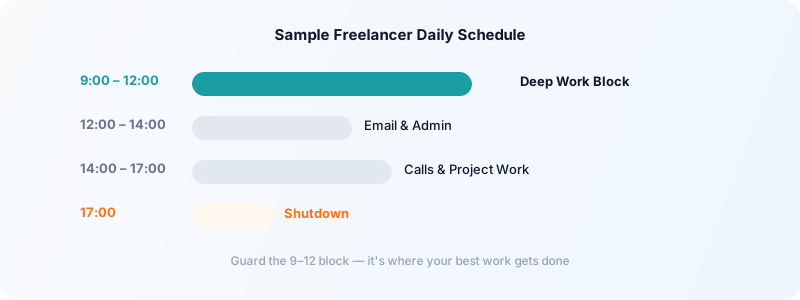
Even if your actual hours vary day-to-day, define a working window. Something like:
- Core hours: 9am–5pm (you're available for client communication, work happens here)
- Deep work block: 9am–12pm (no calls, no email, focused output)
- Admin and communication: 12pm–2pm
- Afternoon work or client calls: 2pm–5pm
The end time matters as much as the start. Without a defined stopping point, work bleeds into evenings indefinitely. A shutdown time — even one you occasionally flex — prevents this from becoming the default.
A daily shutdown ritual reinforces the end of the workday: you review what's done, set tomorrow's priorities, and close everything. This psychological closure is important for maintaining genuine personal time.
Communicate Your Hours to Clients
Setting hours only works if clients know them. You don't need to announce your schedule unprompted, but there are natural opportunities:
- In your welcome packet: "My working hours are Monday–Friday, 9am–5pm EST. I respond to messages within one business day."
- In your email signature: "Response time: within 24 hours Mon–Fri."
- When onboarding a new client: "I typically send weekly updates on Fridays. For urgent needs, here's how to reach me."
Setting these expectations upfront prevents the "I sent you a message at 8pm and you didn't respond" problem before it starts. Most clients are completely fine with 24-hour response windows — they just need to know that's the expectation.
Track Your Hours to Enforce Your Schedule
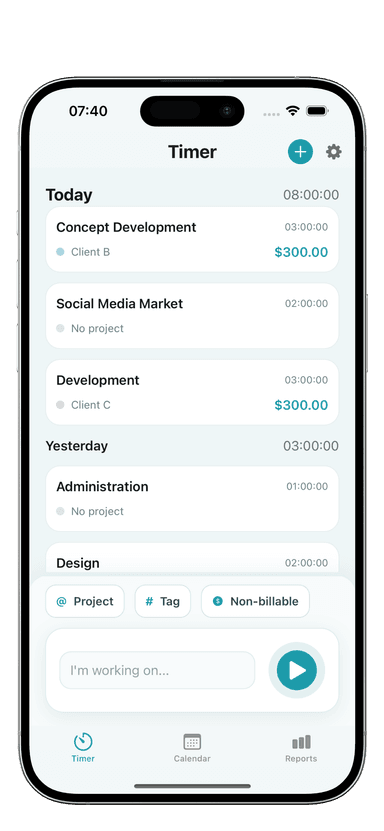
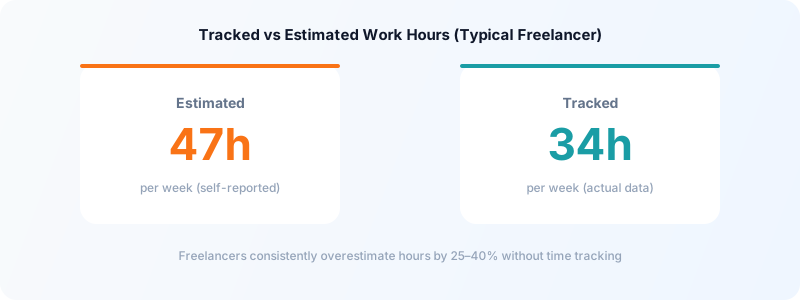
Time tracking creates accountability. When you log your work hours in Toggle Time Tracker, you can see at the end of the week exactly how many hours you worked and when those hours fell. This data is useful in two ways:
To prevent overworking: If your weekly review shows 55 hours every week, that's a signal your schedule needs adjustment — either you need to raise your rates, take on fewer projects, or both.
To prevent underworking: If you're consistently logging 25 hours when you need 35 to meet income targets, you can see the gap clearly and address it.
The data removes guesswork. Without tracking, "I worked a lot this week" and "I didn't get much done" are subjective impressions. With tracking, they're facts you can act on.
Build in Flexibility Without Losing Structure
One of the genuine advantages of freelancing is schedule flexibility. Use it — but use it deliberately.
A good rule: keep your core structure (start time, deep work block, end time) consistent Monday–Friday, but give yourself permission to move specific tasks around within those hours based on energy and circumstance. If you had a rough night and can't do deep work at 9am, shift it to 10am and use 9–10 for email.
What you want to avoid is the absence of structure entirely — where every day starts fresh with no framework and you spend 30 minutes figuring out what to do and when. Flexible within a structure is different from no structure at all.
A fixed work schedule is one of the habits that distinguishes freelancers who sustain good income year after year from those who struggle with unpredictability. It reduces decision fatigue, protects your personal time, and — perhaps most importantly — it signals professionalism to clients.
Download Toggle Time Tracker and start logging when you actually work — the data will quickly show you whether your scheduled hours match your real productive output.