How to Stop Context Switching as a Freelancer
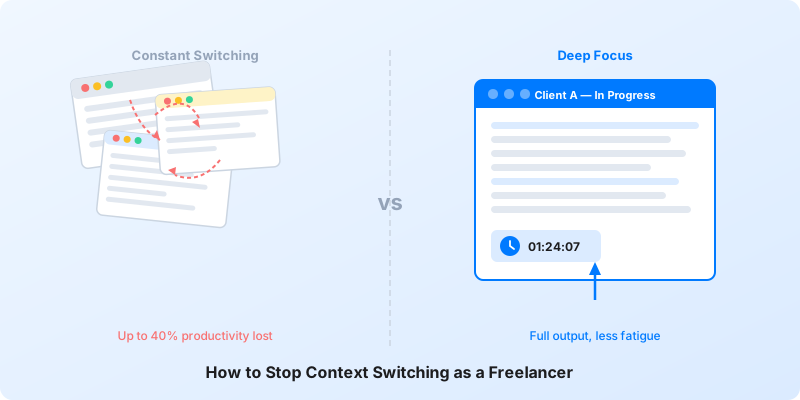
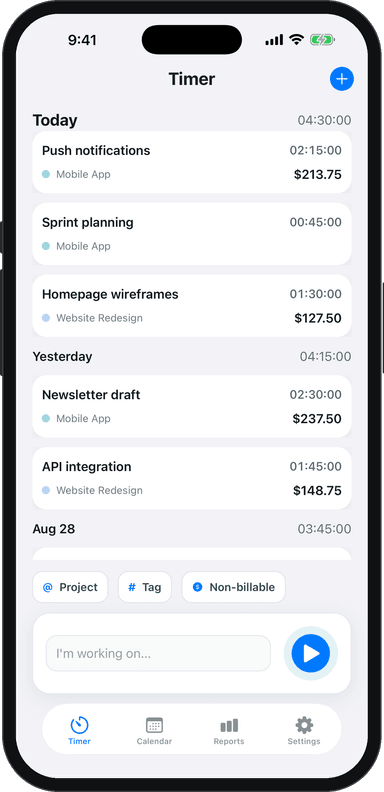
Context switching is the silent income killer for freelancers. Every time you jump from one client's project to another — or from writing to email to Slack and back — your brain pays a tax. And as a freelancer managing multiple clients, you pay that tax dozens of times a day.
The good news: you can cut it dramatically. Here's how.
Why Context Switching Is Costing You More Than You Think
When you switch tasks, your brain doesn't flip a switch. It drags a residue of the previous task into whatever you do next. Researchers call this "attention residue," and it's why you feel mentally scattered even after you've moved on.
For freelancers, the problem compounds. You're not just switching between tasks — you're switching between entirely different client worlds, each with its own tone, goals, and expectations. That cognitive load adds up fast.
The result? You finish the day exhausted but feel like you got nothing done. Sound familiar?
The Real Cost: What Research Says About Task Switching
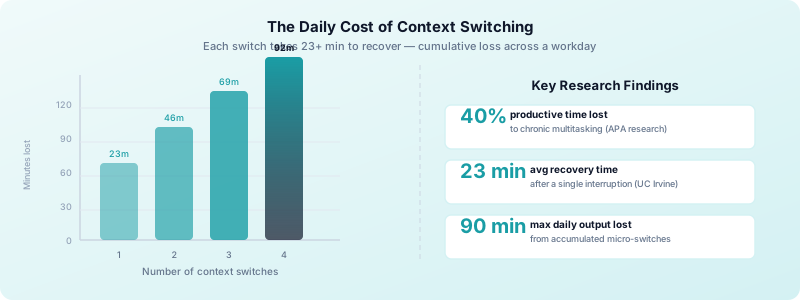
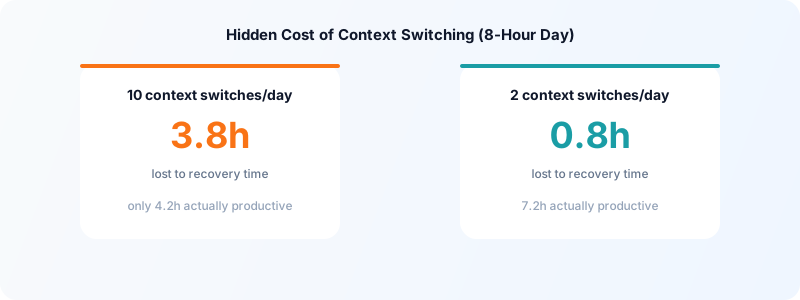
The numbers on task switching cost are sobering. Research from the American Psychological Association shows that chronic multitasking and frequent context switching can consume up to 40% of your productive time. On an eight-hour workday, that's more than three hours gone.
A University of California, Irvine study found it takes an average of 23 minutes and 15 seconds to fully regain focus after a significant interruption. Most freelancers experience dozens of interruptions per day — from notifications, client messages, and their own impulse to check email mid-task.
Add it up: context switching could be costing you 45 to 90 minutes of real output every single day.
That lost time hits your income directly. If you bill hourly, it's unbillable time that still drains you. If you work on project-based pricing, it means projects take longer than they should and your effective hourly rate drops. Either way, you lose.
Good freelance time management starts with understanding where your hours actually go — and context switching is often the biggest hidden leak.
5 Practical Ways to Reduce Context Switching
There's no single fix, but these five approaches work together to protect your focus.
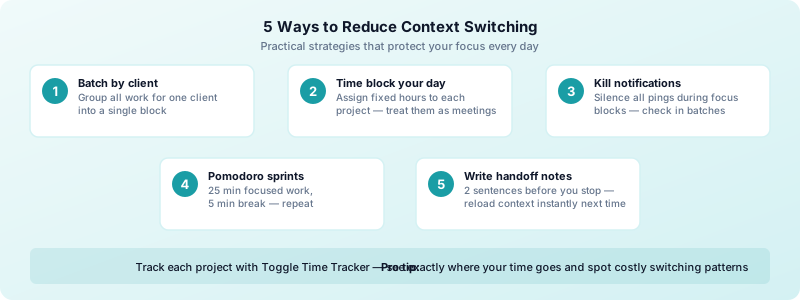
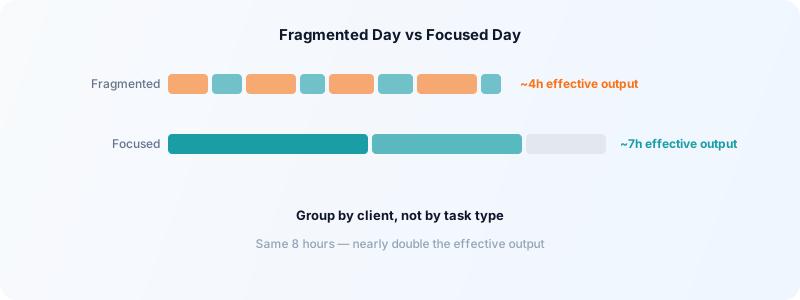
1. Batch your work by client or task type. Do all your writing for one client in one block. Handle all your email in one window. Your brain stays in one mode and you move faster with less friction.
2. Use time blocking. Time blocking for freelancers is one of the most effective tools against constant switching. Assign specific hours to specific clients or projects and treat those blocks like client meetings — unmissable. When the time for Client A is over, you stop. You don't bleed into Client B's block.
3. Turn off notifications during focus blocks. Every ping is an invitation to switch contexts. Put your phone face-down, close your email tab, and silence Slack during deep work windows. You can batch your communication checks into two or three windows per day.
4. Use the Pomodoro Technique. Work in 25-minute focused sprints with a 5-minute break. Knowing you only have to stay locked in for 25 minutes makes it easier to resist the urge to task-hop. After four sprints, take a longer break.
5. End each work session with a handoff note. Before you stop working on a task, write two sentences summarizing where you are and what comes next. When you return, you reload context instantly instead of spending 10 minutes reorienting.
How to Handle Multiple Clients Without Constant Switching
Multiple clients are a fact of freelance life. The goal isn't to eliminate switching entirely — it's to make switches intentional and infrequent.
Assign each client a dedicated day or half-day if your workload allows it. Client A gets Monday and Wednesday mornings. Client B gets Tuesday afternoons. This "client batching" approach means you only mentally switch contexts two or three times per week instead of ten times per day.
When you do switch between projects, use Toggle Time Tracker to log the transition. Tap the timer for the new project and let it run. Seeing exactly how much time you're spending on each client makes switching feel real — not just a vague blur of busyness. Over a week, those logs often reveal that you're losing significant time just to transitions and reorientation.
Deep work techniques for freelancers take this further: by designing your environment and schedule for extended focus, you make deep concentration the default rather than the exception.
Keep a Context File for Every Client
A major source of cognitive overhead when switching between clients is re-loading the mental model for each one: what are their preferences? What's the project status? What were we last discussing?
Maintain a simple context file for each client — a short document or note that contains:
- Current project status and next steps
- Key client preferences (tone, technical constraints, pet peeves)
- Open questions or decisions pending
- Recent conversation notes
Before switching to a client context, spend 2 minutes reviewing the file. This dramatically reduces the "warm-up" time needed after a switch.
Reserve One No-Switch Day a Week
The single most impactful change for many freelancers: designate one full day per week as a "no-switch day" — a day reserved entirely for one client or project category, with no switching permitted.
Depending on your workload, this might look like:
- Mondays: Client A project day (creative/deep work only)
- Wednesday: Admin day (invoicing, proposals, email across all clients)
- Thursday: Client B and C day
Even one no-switch day per week creates a significant block of uninterrupted progress on complex work that requires sustained attention.
Track Context Switches to Quantify the Cost
Most freelancers significantly underestimate how much context switching they do. A week of honest time tracking often reveals 20-30 task switches per day — each one carrying a 5-15 minute recovery cost.
After 2-3 weeks of tracking in Toggle Time Tracker, review your time log for days where your entries are highly fragmented. Compare those days' output to days where you had 2-3 hour focused blocks. The difference in both output quality and subjective experience is usually striking.
Once you can see the cost concretely, the motivation to protect focused blocks becomes much stronger.
For a full system for managing your attention across multiple clients, see how to manage multiple freelance clients.
Reducing context switching is not about working fewer projects — it's about working them smarter, in dedicated blocks, rather than scattered fragments throughout the day. The output improvement is real, measurable, and compounds over time.
Download Toggle Time Tracker and track your task entries throughout the week — you'll quickly see where context switching is costing you the most.
Building a Context-Switching-Free Work Environment
Your environment shapes your behavior. A few physical and digital changes can make a real difference.
Close unused browser tabs. Every open tab is a visible invitation to switch contexts. Keep only what you need for the current task open.
Use separate browser profiles or windows for each client. Switching profiles forces a deliberate transition and keeps client work visually separated.
Design a pre-work ritual. Before you start a focus block, spend two minutes reviewing what you're working on and why it matters. This primes your brain for the work ahead and reduces the pull toward distraction.
Track your time, not just your tasks. Knowing you have a timer running for the current project creates gentle accountability. Toggle Time Tracker makes this effortless — one tap starts the timer for the right project, so you always know exactly where your time is going. When you can see your data at the end of the day, patterns emerge: you'll notice which transitions cost you the most time and where to tighten up.
The freelancers who earn the most per hour aren't necessarily the most talented. They're the ones who protect their focus and treat their time as the finite resource it is. Reducing context switching as a freelancer is one of the highest-return habits you can build.
Start small. Pick one focus block tomorrow, silence your notifications, and track every minute with Toggle Time Tracker. Notice how different it feels.