Freelance Invoice Itemization: How Detailed Should You Be?
How detailed should your freelance invoice be? It's a question most freelancers never think to ask — they either list one line ("Project work — $2,000") or over-specify every 15-minute task. Both extremes create problems. The right level of freelance invoice itemization depends on your billing model, client type, and relationship.
Here's how to get it right.
Why Itemization Matters
Itemization does several things for you:
Reduces disputes. A vague total invites questions. "Web design — $4,000" gives a client room to wonder whether that includes X or Y. A clear list of what's included eliminates ambiguity.
Speeds up payment. Clients — especially at larger companies with AP departments — process itemized invoices faster because there's nothing to clarify before approval.
Protects you legally. If a payment dispute ever reaches a collection agency or small claims court, an itemized invoice with time logs is far stronger evidence than a single-line invoice.
Builds trust. When clients can see exactly what they're paying for, your rate feels justified. Transparency prevents the "this seems expensive" reaction to a bottom-line number.
Hourly Billing: Always Itemize by Task
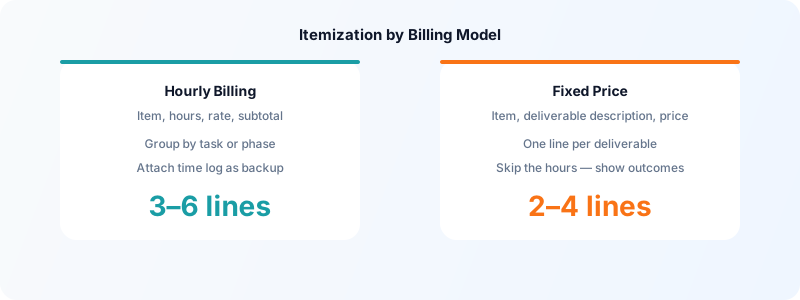
If you bill hourly, your invoice should list work at the task or project-phase level. Not every 10-minute micro-task, but meaningful chunks of work.
Good hourly itemization:
| Description | Hours | Rate | Amount | |-------------|-------|------|--------| | Homepage design (3 concepts) | 6.5h | $85/hr | $552.50 | | Responsive layout implementation | 4.0h | $85/hr | $340.00 | | Client feedback revisions | 2.0h | $85/hr | $170.00 | | Total | 12.5h | | $1,062.50 |
This level of detail:
- Shows the client what their money went toward
- Makes your hourly rate feel earned, not arbitrary
- Creates a natural checkpoint for any time that seems higher than expected
Toggle Time Tracker makes this easy — log time by task or phase throughout the project, then export a time summary directly to use as your invoice line items. When your time log and invoice match, disputes essentially never happen.
Fixed-Price Projects: Itemize by Deliverable
For fixed-price work, you're not billing by time — you're billing by outcome. Your itemization should reflect deliverables, not hours.
Good fixed-price itemization:
| Description | Amount | |-------------|--------| | Brand identity design (logo, color palette, typography guide) | $1,800 | | Social media asset set (10 templates) | $600 | | Brand guidelines document (PDF) | $400 | | Total | $2,800 |
Don't include hours on a fixed-price invoice unless you want to. Including hours can backfire: if you quoted $2,800 and your invoice shows 14 hours, clients may calculate your hourly rate and feel sticker shock — even though the rate is entirely fair for the work delivered.
For fixed-price projects, itemizing by deliverable shows value, not inputs. That framing tends to generate far fewer payment delays.
What to Put in the Description Field
The description is where most freelancers are too vague. Compare these:
Too vague:
- "Development work"
- "Design"
- "Consulting"
Clear and specific:
- "WordPress theme customization — homepage and about page"
- "Logo design — 3 initial concepts, 2 revision rounds, final files"
- "60-minute brand strategy session + written summary"
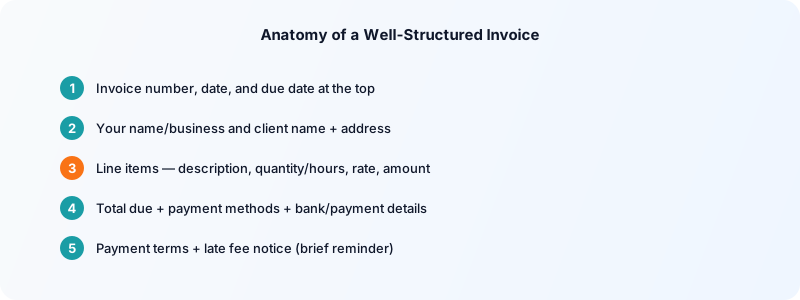
A good description answers: what did you do, at what scope, for which project or client? If you work for multiple clients at once, always include the project name in descriptions so an AP department can match it to the right purchase order.
Expenses: Always Separate Line Items
If you pass through client expenses (stock photography, software subscriptions, printing costs, travel), list each expense as its own line item with the receipt amount. Never bundle expenses into your professional fee — it creates confusion and looks like padding.
Expense line items: | Description | Amount | |-------------|--------| | Stock photography (Adobe Stock — receipt attached) | $89.00 | | Domain registration — 1 year | $15.00 |
Attach receipts where possible. This makes the pass-through cost transparent and non-disputable.
Retainer Invoices: Simpler Is Better
For ongoing monthly retainers, your invoice can be simple:
| Description | Amount | |-------------|--------| | Monthly retainer — April 2026 (per agreement dated Jan 15, 2026) | $3,000 |
Since the scope of your retainer work is defined in the original agreement, you don't need to re-specify it monthly. Reference the original agreement date so there's a clear paper trail. Some freelancers include a brief summary of deliverables completed that month — this is optional but useful for longer retainers.
How Detailed Is Too Detailed?
There's a point of diminishing returns with itemization. Listing every 15-minute block makes an invoice hard to read and can actually invite more scrutiny, not less — clients start auditing individual tasks instead of reviewing the total.
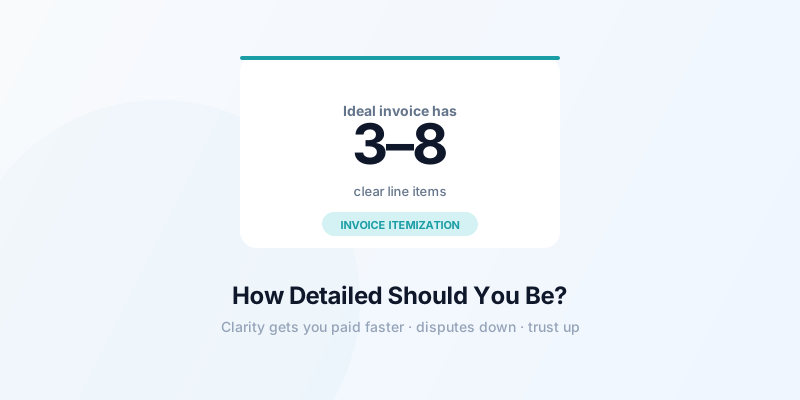
A good rule: if you're billing hourly, group tasks into phases or categories. Aim for 3-8 line items per invoice. If you're billing fixed-price, one line item per deliverable.
The goal is an invoice that a client can review in 60 seconds and confidently approve. Clarity and brevity together get you paid the fastest.
For everything related to the invoicing workflow, see how to invoice as a freelancer for the full process from project completion to payment.
Download Toggle Time Tracker and log your hours by task from day one — your time log becomes the foundation of every clean, professional invoice you send.