How to Manage Digital Distractions as a Freelancer
Digital distractions are the freelancer's most consistent productivity enemy. Unlike a noisy open-plan office, the problem isn't external noise — it's the constant pull of notifications, social media, and the endless ability to switch between browser tabs. Learning how to manage digital distractions as a freelancer is one of the highest-leverage skills you can develop.
Here's a practical system that actually works.
Run a Notification Audit First
Before adding any new tools or habits, start with a notification audit. The goal: eliminate every notification that doesn't require your immediate attention.
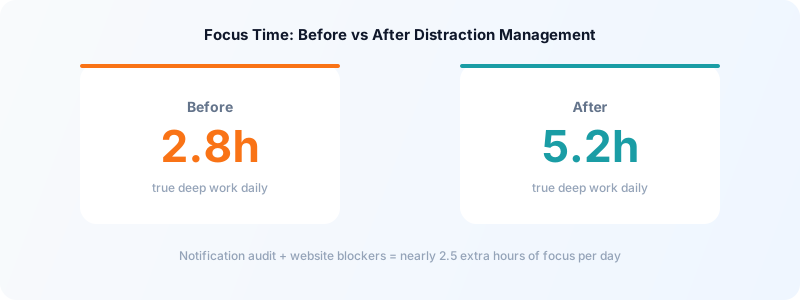
Go through your phone and computer settings and ask this question about each app: "If this notification arrived three hours later, would anything bad happen?" If the answer is no, turn it off.
For most freelancers, the only notifications that genuinely require real-time attention are:
- Direct calls or messages from active clients
- Payment notifications
- Calendar reminders for calls or deadlines
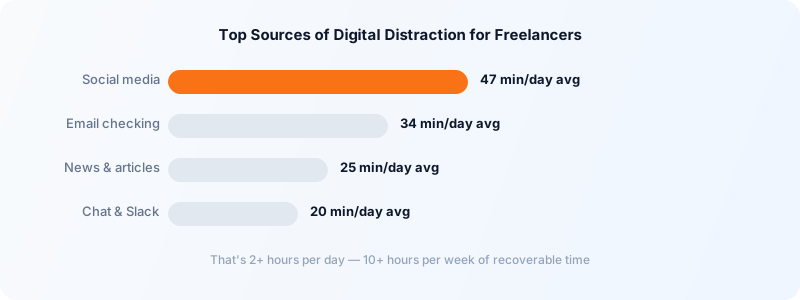
Everything else — social media, news apps, email, Slack from non-urgent channels — can be checked on a schedule. Check email at 9am and 3pm. Check social media once after lunch. This one change alone recovers 30-60 minutes per workday for most people.
Use Website Blockers During Focus Blocks
Willpower is unreliable. When you're stuck on a hard problem, the pull toward easy dopamine (news, Twitter, YouTube) is near-irresistible. Website blockers remove the option entirely.
Effective tools:
- Cold Turkey (Mac/Windows) — most aggressive, can't be disabled during a block
- Freedom — syncs across devices, blocks both apps and websites
- One Focus (Mac) — lightweight, scheduled blocking
Build your block list around your personal distraction patterns. For most freelancers this includes: social media platforms, news sites, video platforms, and any forum or community you tend to browse compulsively.
For blocks under 90 minutes, consider using the Pomodoro technique — a structured approach that pairs focus sessions with short, intentional breaks so you're not white-knuckling it for hours.
Separate Your Work Browser from Your Personal Browser
One of the most underrated tactics: use different browsers for work and personal browsing.
Use Chrome or Arc for work — log into work tools, keep work bookmarks, never open social media here. Use Safari or Firefox for personal browsing.
The mental cue of switching browsers is surprisingly effective. You're not relying on willpower; you're changing your environment. When you're in the work browser, work is the default mode. When you need a break, you physically switch — which makes the break intentional rather than accidental.
Protect Your Deep Work Hours
Not all distractions are external. The urge to answer emails mid-task or check Slack between sentences is an internal distraction — and it's just as expensive.
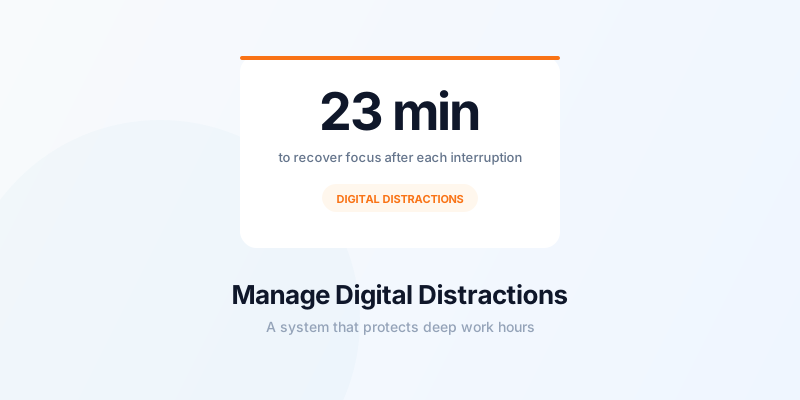
Research shows that context switching costs roughly 23 minutes to fully recover. Every time you stop mid-task to check a message, you're not paying 30 seconds — you're paying 23 minutes.
The fix: define your deep work hours and defend them. Block the first 2-3 hours of your workday for your most cognitively demanding work, with no messaging apps open. Use a separate timer in Toggle Time Tracker to track how many of those hours you actually protect — the data is revealing.
For a more structured approach to protecting your best hours, see how to stop context switching as a freelancer.
Handle the "Just One Thing" Urge
You sit down to write a proposal. You remember you need to check one thing on your bank statement. You open the browser and 20 minutes later you're reading a news article.
The fix is a capture system for non-urgent thoughts. Keep a small notepad (paper works better than digital for this) next to your keyboard. When a non-work thought interrupts you — a task to do later, something to look up, something you need to buy — write it down and immediately return to the task.
You're not suppressing the thought; you're acknowledging it and parking it. The urge to act on it immediately fades quickly once it's written down.
Track Your Focus Time to Create Accountability
Tracking how you actually spend your time creates accountability that no distraction-blocking app can replicate. When you track time by project or client, wasted time becomes visible in your weekly review.
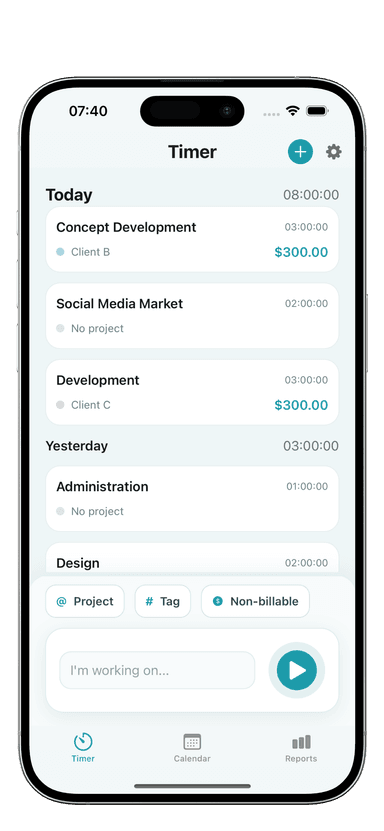
Toggle Time Tracker lets you log time with one tap and tag it to projects. At the end of the week, your time log shows exactly what you worked on — and how much "work time" was lost to drifting. That visibility alone is often enough to change behavior.
Pair this with a freelance weekly planning template to set clear intentions for each week, so you have a specific target to protect your time against.
Build an End-of-Work Ritual That Closes the Loop
Digital distractions often ramp up at the end of the workday — when energy is lower and the boundary between "work mode" and "off mode" is blurry. Building a clear shutdown routine signals your brain that work is done, making it easier to disconnect.
A simple version:
- Review what you completed today (2 minutes)
- Set your top three tasks for tomorrow
- Close all work apps and browser tabs
- Log your total time for the day
Step four matters: when you close your time tracker intentionally, you're drawing a clean line. Work is done. The compulsive checking tendency fades when there's a defined ending.
The science is clear: managing digital distractions is a design problem, not a willpower problem. Build the environment, systems, and habits that make distraction hard and focus easy — and your output will compound.
Download Toggle Time Tracker and start logging your focus blocks — you'll quickly see which hours are genuinely productive versus which ones are digital drift.